A fast TUI reference manager for academic papers built with Rust. The filesystem is the source of truth — each reference is a directory with a PDF and an info.toml metadata file. SQLite with FTS5 provides full-text search, but it’s disposable: grimoire reindex rebuilds it from scratch.
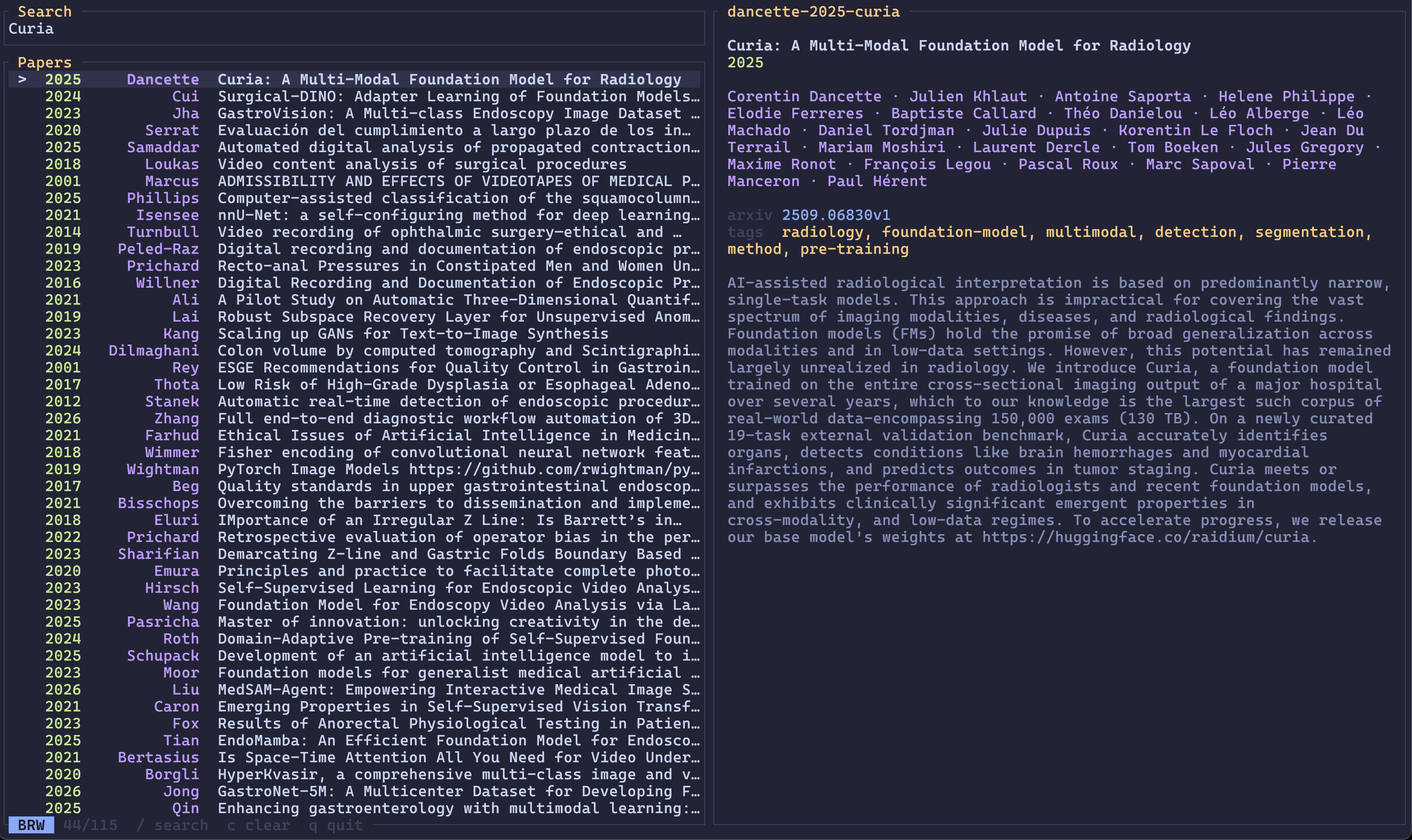
Running grimoire opens an interactive browser. Type to fuzzy-search across titles, authors, and abstracts. Press Enter to open the PDF, e to edit metadata, y to copy BibTeX.
Smart import
grimoire add detects the input type automatically:
- arXiv ID (
1706.03762) — fetches metadata from arXiv API, downloads PDF - arXiv URL (
https://arxiv.org/abs/1706.03762) — same - DOI (
10.1038/nature14539) — fetches metadata from CrossRef - Local PDF (
paper.pdf) — extracts metadata from PDF; if filename looks like an arXiv ID, fetches from arXiv
CLI
grimoire                          # browse library
grimoire jepa                     # browse with "jepa" pre-filled
grimoire add 1706.03762           # import by arXiv ID
grimoire add 10.1038/nature14539  # import by DOI
grimoire add paper.pdf            # import local PDF
grimoire cite --format typst      # pick a reference, output @cite-key
grimoire reindex                  # rebuild search index
grimoire validate --fix           # check and auto-fix library
TUI features
- Fuzzy search — nucleo-matcher for fast, typo-tolerant filtering
- Preview pane — title, authors, year, journal, abstract, DOI/arXiv links. Adaptive layout: side-by-side when the terminal is wider than tall, stacked when taller than wide
- Tags — press
tto browse and filter by tag with counts - Sort — cycle through name, author, year, title with
s - Enrich — press
rto fetch missing metadata from arXiv/CrossRef for the selected paper,Rto batch-enrich all incomplete entries. Preview diffs before applying - Dedup — press
dto find duplicates by title or DOI, pick which to keep - Validate — press
Vto check library integrity and auto-fix issues - Add inline — press
ato import a paper without leaving the TUI - BibTeX — press
yto copy a BibTeX entry to the clipboard - Themes — configurable color themes loaded from TOML files
Key bindings
| Key | Action |
|---|---|
j / k | Move down / up |
g / G | Jump to top / bottom |
Ctrl-d / Ctrl-u | Half-page down / up |
J / K | Scroll preview down / up |
/ or i | Enter search mode |
Enter | Open PDF |
e | Edit info.toml |
y | Copy BibTeX |
o | Open DOI / arXiv in browser |
a | Add paper |
r / R | Enrich selected / all |
s | Cycle sort |
d | Deduplicate |
t | Browse tags |
T | Switch theme |
c | Clear search and tag filter |
? | Help |
q | Quit |
Library layout
Each reference is a directory named {first-author}-{year}-{first-title-word}:
~/Papers/
  vaswani-2017-attention/
    info.toml
    vaswani-2017-attention.pdf
  lecun-2015-deep/
    info.toml
    lecun-2015-deep.pdf
Editor integration
Grimoire’s cite command outputs a citation key and exits — designed for piping into editors. Example Helix config:
1[keys.normal.space.r]
2t = [":insert-output grimoire cite --format typst", ":redraw"]
3l = [":insert-output grimoire cite --format latex", ":redraw"]
Space r t opens the picker and inserts a Typst @cite-key at the cursor.
How it works
The TUI runs on ratatui with two input modes: Browse (single-key shortcuts) and Search (typing filters the list). Fuzzy matching uses nucleo-matcher with score-based ranking. Metadata enrichment spawns background threads to fetch from arXiv and CrossRef APIs without blocking the UI. The SQLite index stores PDF full text extracted via lopdf for FTS5 search. Themes are loaded from individual TOML files with truecolor support.