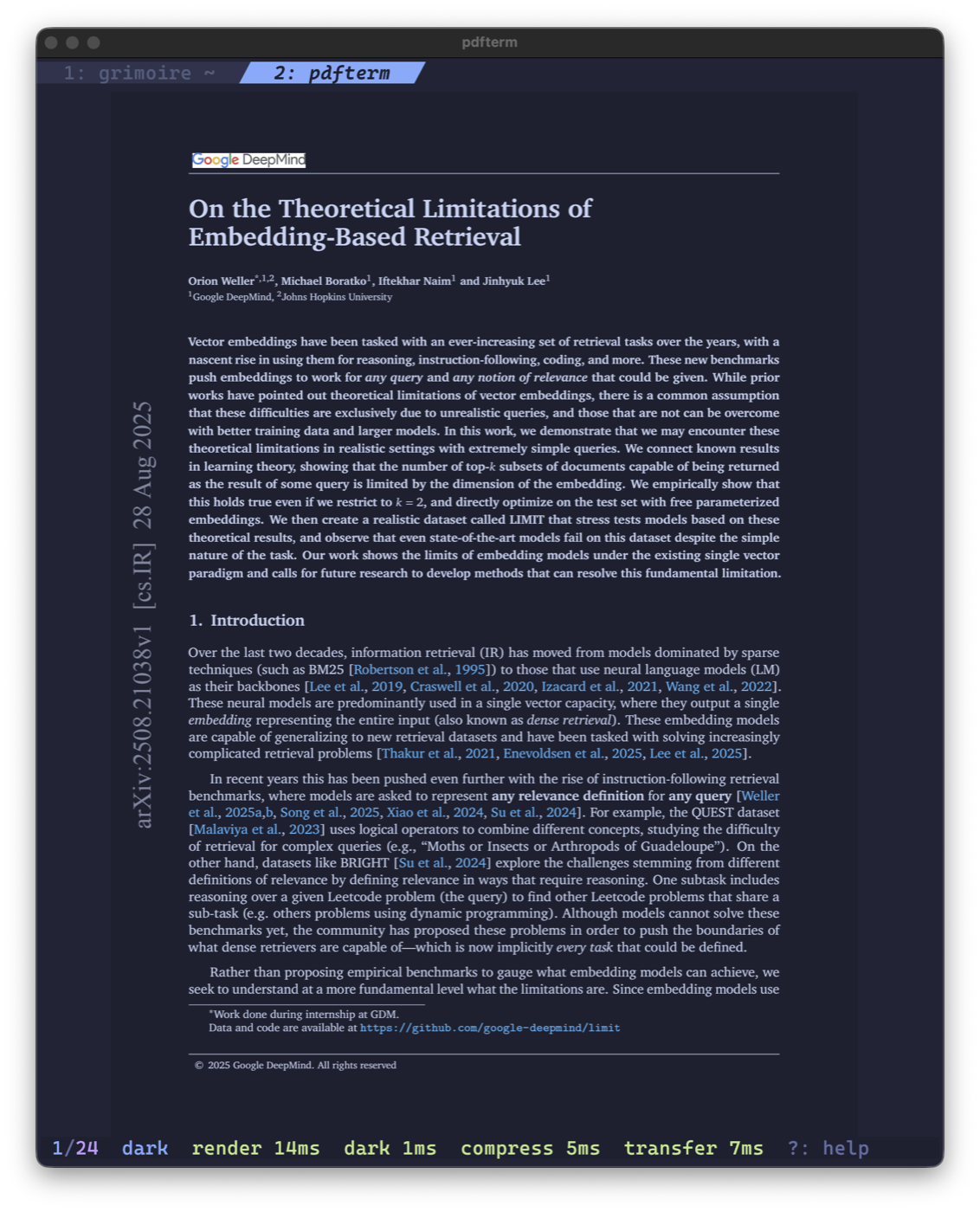
A low-latency PDF viewer for Kitty terminals, built in Rust. It renders each page with PDFium on the machine where the command runs, compresses the bitmap once, and sends it through Kitty’s graphics protocol. Direct SSH sessions need no local helper — read papers on a remote box the same way you read them locally.
Features
- Fit modes — fit-page, fit-width, and fit-height, with scrolling and horizontal panning when the page overflows the viewport
- Tabs — open multiple documents, switch with
Tab/Shift-Tab, each with its own page state and link history - Fuzzy picker — press
f(or run with no path) to open a PDF in a new tab; recently opened documents sort to the top - Outline navigation —
topens the table of contents with fuzzy filtering,:opens a go-to-page prompt - Text search —
/searches selectable text,n/Njump between pages containing matches, matches highlight in the active theme - Link mode —
Lhighlights annotated links; click one, or pressEnterfor a numbered picker with a destination-details panel.breturns to the view before the last internal jump - Polaris-style dark mode —
iinverts dark-on-light PDFs using the theme’s document colors, preserving hues and leaving embedded images untouched - Copy page text —
ycopies the current page’s text, over SSH via OSC 52 - Live reload — a document that changes on disk reloads automatically, preserving that tab’s current page
- Themes —
Tpreviews and applies any installed theme for the session; config lives in~/.config/pdfterm/config.toml - Latency readout — the status line reports PDF render, dark-mode conversion, compression, and transfer times separately
How It Works
Rendering happens on a background worker thread that owns the PDFium instance. The app talks to it over four crossbeam channels — a priority queue for the page you’re looking at, a separate prefetch queue for neighbors, plus command and message channels. select_biased! on the worker side means a foreground render always preempts pending prefetch work, so paging forward never waits behind speculative rendering of pages you may never see.
Each rendered page becomes an RGBA buffer, gets zlib-compressed once (Compression::fast() — the goal is fewer bytes on the wire, not the smallest possible file), then base64-encoded and chunked into 4096-byte payloads for Kitty’s graphics protocol. The current page and its neighbors stay cached in memory, so back-and-forth navigation is a placement command rather than a re-render.
Scrolling within an oversized page uses the protocol’s source-rectangle feature — each frame places a different crop of the full-page bitmap, so the scroll position never requires a re-render. It does still re-transmit the compressed bytes each frame; transmitting a page once and re-placing crops thereafter is the next obvious win. Dark mode is applied during rasterization rather than as a post-pass over pixels, which is what keeps document hues and embedded images intact instead of naively inverting everything.
PDFium is embedded at build time. build.rs downloads a pinned revision (7881) for the target platform, verifies its SHA-256, and bakes it into the executable; on first run the library is extracted to ~/.cache/pdfterm. That makes cargo install --git a single command with no system PDF dependency to chase.
Key Bindings
| Key | Action |
|---|---|
j l Space PageDown | Forward — page, or scroll when the page overflows |
k h Backspace PageUp | Backward — page, or scroll when the page overflows |
g / G | First / last page |
: | Go-to-page prompt |
/ | Search document text |
n / N | Next / previous page with a match |
m | Cycle fit mode |
i | Toggle dark mode |
t | Outline / table of contents |
T | Theme picker |
y | Copy page text to clipboard |
L | Toggle link mode |
Enter | Link picker (in link mode) |
b | Back to pre-link view |
f | Open a PDF in a new tab |
Tab / Shift-Tab | Switch tabs |
? | Help |
q | Close tab (exits after the last one) |
Esc | Clear search, or quit |
Usage
1pdfterm                    # fuzzy picker
2pdfterm document.pdf       # open a file
3pdfterm --page 12 doc.pdf  # open at a page
Install with:
1cargo install --git https://github.com/jrf/pdfterm.git
Requirements
- Rust 1.85+
- Kitty 0.20+
- macOS arm64, Linux x86_64, or Linux aarch64
tmux support isn’t in yet — run pdfterm directly under SSH until Kitty graphics passthrough lands.